Why you'd use it
HTTPS shouldn't need a terminal. CertEasy speaks the ACME protocol to Let's Encrypt and Google Trust Services for you, so you can issue a certificate for a blog, a client site or a web app from your phone — then install it through your hosting panel.
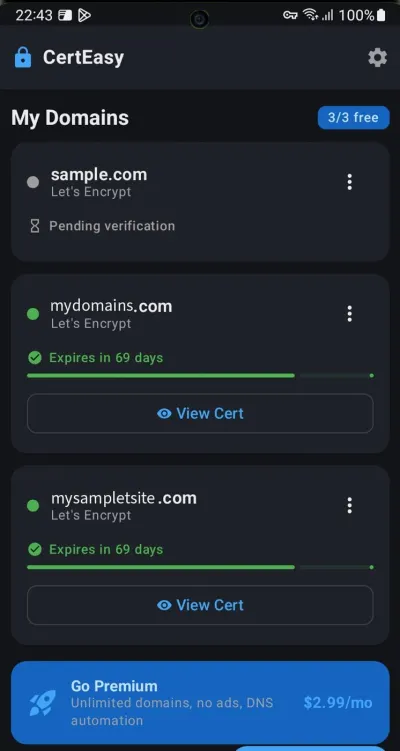
Certificates expire, and when they do, visitors see browser warnings and leave. CertEasy reminds you 30, 14, 7 and 1 day before expiry, and renewing takes a few taps.
Features
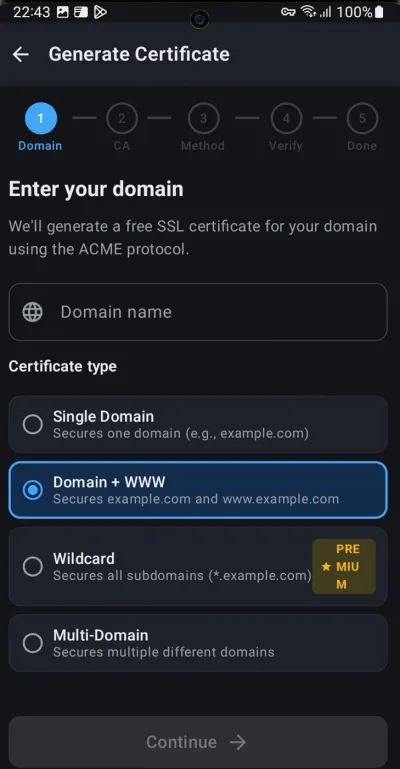
- Certificate types: single domain, domain + www, wildcard (*.example.com) and multi-domain (SAN)
- Certificate authorities: Let's Encrypt and Google Trust Services
- Domain verification by DNS-01 (TXT record) or HTTP-01 (file upload)
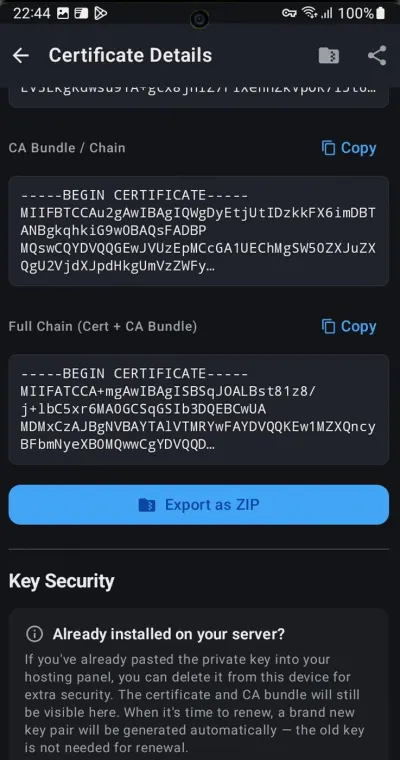
- Export the certificate, private key, CA bundle and full chain as a ZIP, or share them
- Step-by-step installation guides for cPanel, Plesk and other hosting panels
- SSL health checker for any domain: validity, TLS version, HSTS, HTTPS redirect, chain completeness and a security grade
- Expiry reminders and easy renewal
- Dark mode
Private keys stay on your phone
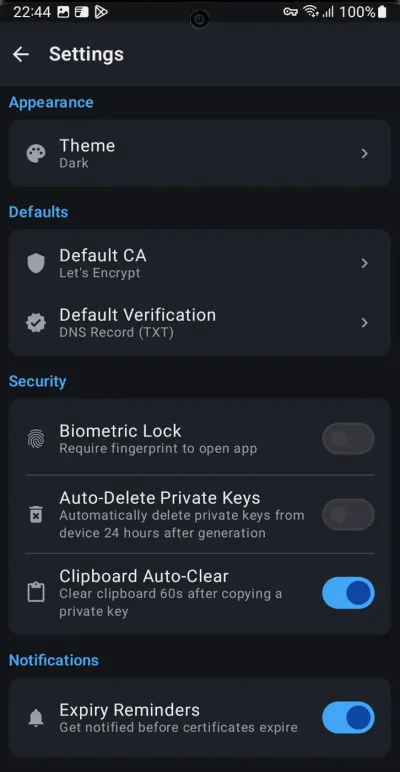
All cryptography happens on the device. Private keys are encrypted with AES-256-GCM through the hardware-backed Android Keystore and are never sent to a server. A biometric lock protects the app, private keys can be deleted automatically after a time you choose, and copied keys are cleared from the clipboard.
Standard and Premium
Standard (free): up to 3 domains, Let's Encrypt, DNS and HTTP verification, expiry reminders and SSL health checks.
Premium: unlimited domains, Google Trust Services, automatic DNS verification for Cloudflare and GoDaddy, all installation guides, no ads and priority support.
Who it's for
Web developers managing client sites, sysadmins away from a computer, freelancers who look after several websites, and anyone who has ever had a certificate expire without warning.
Frequently asked questions
Are CertEasy certificates trusted by browsers?
Yes. CertEasy issues real SSL/TLS certificates from Let's Encrypt — and, with Premium, Google Trust Services — that all major browsers trust.
How do I prove I own the domain?
Choose DNS-01 verification by adding a TXT record, or HTTP-01 by uploading a file to your website. Premium can create the DNS record automatically for domains on Cloudflare or GoDaddy.
Does CertEasy support wildcard certificates?
Yes. It issues single-domain, domain + www, wildcard (*.example.com) and multi-domain (SAN) certificates; wildcard certificates need Premium.
Do my private keys leave my phone?
No. Keys are generated on the device, encrypted with AES-256-GCM through the Android Keystore and never uploaded. You can also have private keys deleted automatically after a set time.
Is CertEasy free?
Yes. The free Standard plan covers up to 3 domains with Let's Encrypt, DNS and HTTP verification, expiry reminders and SSL health checks. Premium adds unlimited domains, Google Trust Services, automatic DNS verification, all installation guides, no ads and priority support.
Is CertEasy available on iPhone?
CertEasy is currently available for Android on Google Play.