What MikroWiFi does
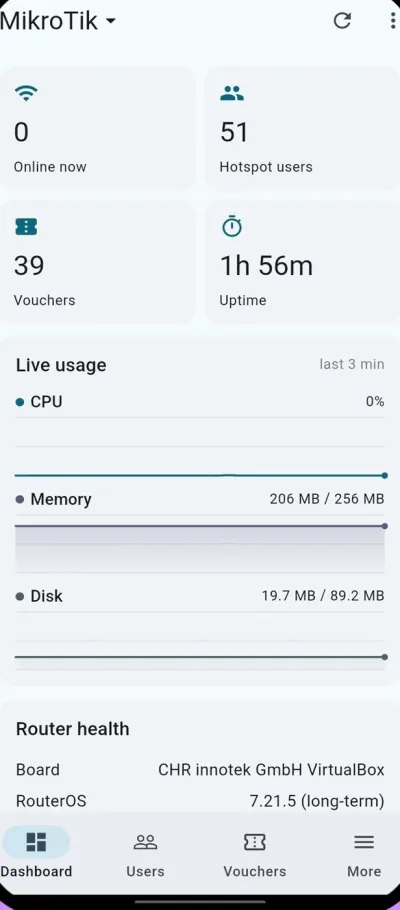
MikroWiFi talks to your MikroTik router directly from your phone — over the REST API on RouterOS 7 and the classic API on RouterOS 6, with automatic fallback — and puts everything a hotspot business needs on one screen: who is online, how many vouchers are left, router health and today's sales.
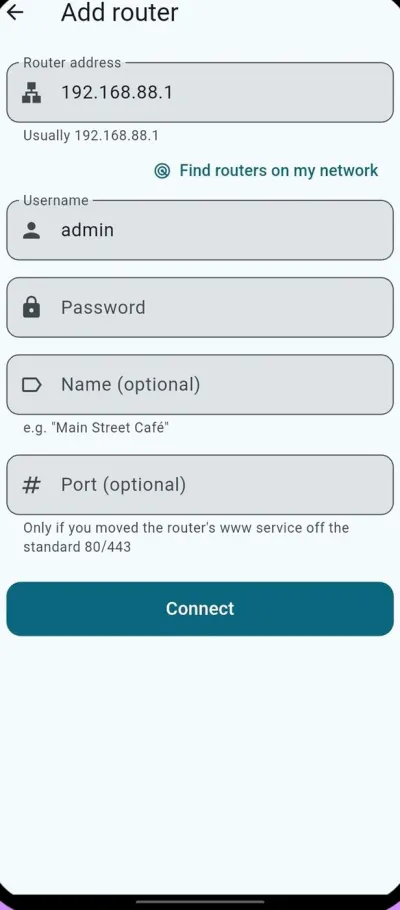
Setup takes minutes: join the router's Wi-Fi, enter its address and sign in. Run several routers from the same app and switch between them with one tap.
Sell Wi-Fi vouchers
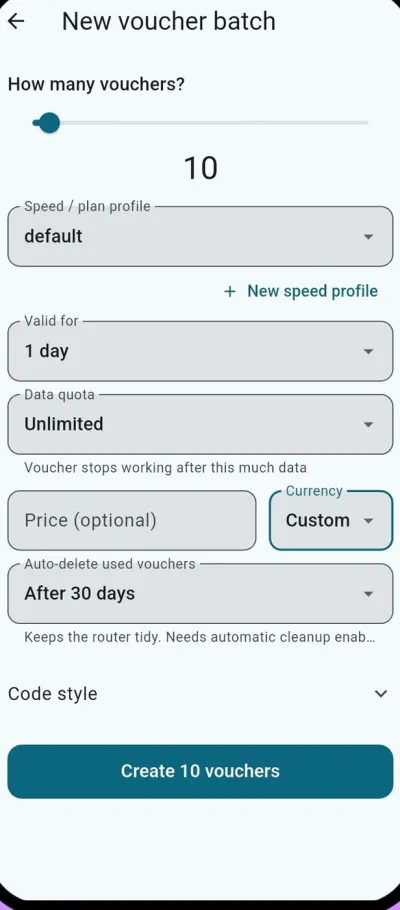
- Create batches of voucher codes in seconds
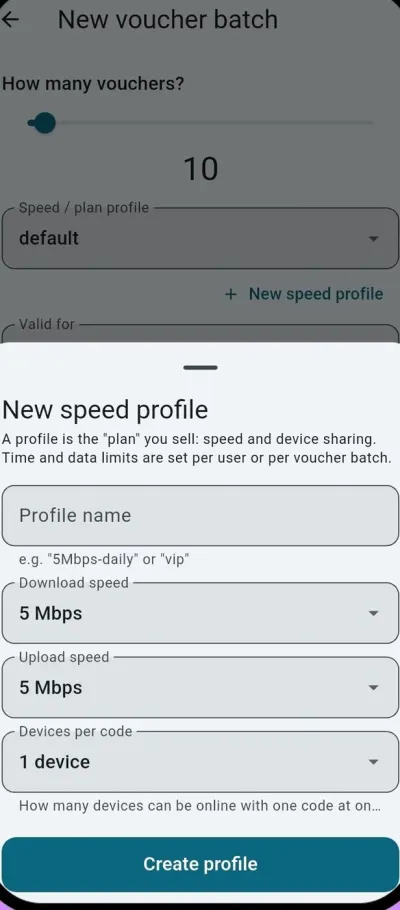
- Give each plan a speed, a time limit (30 minutes to 30 days), a data quota and a price
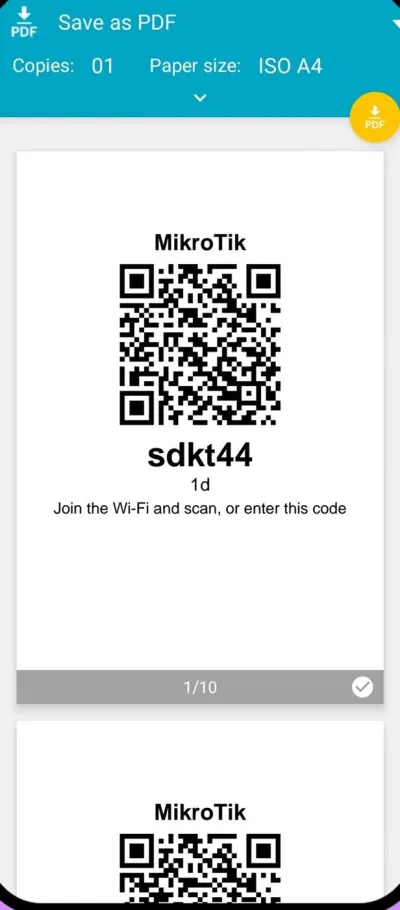
- Print A4 card sheets, 58 mm receipts, or straight to a Bluetooth thermal printer
- QR codes log guests in automatically — they scan, they're online
- Fair-use limits slow guests down after their allowance instead of cutting them off
Stay in control
- See who's online right now and disconnect anyone instantly
- Guests can check their own usage, remaining data and time
- Used-up vouchers are deleted automatically on a schedule you choose
- Reports for sales, top users and data usage — print them or save as PDF
- Staff sign in with their own accounts on the routers you cover
Make it yours
- Brand the hotspot login page with your business name and colors
- Offer the login page in several languages — the app itself speaks 12
- Encrypted cloud backup of your settings — only you hold the key
- Priority support with unlimited tickets
Plans and pricing
Every feature is free for 14 days. After the trial a free tier stays: one router, the dashboard, your hotspot users and vouchers in batches of three. Paid plans unlock unlimited vouchers and printing, branding, reports and cloud backup.
1 router — one café, shop or guesthouse
Up to 10 routers
Up to 100 routers
Plans are also billed every 6 months (save 10%) or yearly (save 20%), and you can cancel any time in your Google Play or App Store account. Prices are in US dollars and can vary by country — see current pricing on mikrowifi.com.
Who it's for
Cafés, restaurants, hotels and guesthouses that sell guest Wi-Fi; libraries, co-working spaces and campuses; and small ISPs and WISPs that run hotspot plans across many sites. If a MikroTik router is selling internet access, MikroWiFi makes the phone in your pocket the till.
Private by design
Router addresses and passwords stay in your phone's secure storage (Android Keystore or iOS Keychain) and never reach a server, and nothing that identifies your guests is collected. Optional backups are encrypted end to end with AES-256-GCM, and every change MikroWiFi makes on the router is labelled so it is easy to find and remove.
MikroWiFi needs a MikroTik router running RouterOS 6.0 or newer. MikroTik and RouterOS are trademarks of MikroTik SIA; MikroWiFi is an independent app and is not affiliated with MikroTik SIA.
Frequently asked questions
Which MikroTik routers does MikroWiFi work with?
Any MikroTik router running RouterOS 6.0 or newer, including hAP, hEX, cAP, RB and CCR models and the Cloud Hosted Router (CHR). MikroWiFi uses the REST API on RouterOS 7 and the classic API on older firmware, and chooses automatically.
Do I need WinBox or terminal commands?
No. Hotspot setup, voucher batches, speed profiles, the branded login page and reports are all handled in the app. You never type a RouterOS command.
How do QR Wi-Fi vouchers work?
Each printed voucher carries a QR code and a short code. A guest joins your Wi-Fi and scans the QR code to get online automatically, or types the code on the login page.
Can I manage several routers or locations?
Yes. The Pro plan covers up to 10 routers and Fleet up to 100. Each router keeps its own users, vouchers and reports, and you switch between them with one tap.
What happens when the free trial ends?
Every feature is free for 14 days. After that a free tier remains: one router, the dashboard, your hotspot users and vouchers in batches of three. Your hotspot keeps running, and you can choose a Solo, Pro or Fleet plan when you need more.
Is my router password safe?
Router addresses and passwords stay in your phone's secure storage (Android Keystore or iOS Keychain) and are never uploaded. Optional cloud backups are encrypted on the phone with AES-256-GCM and a passphrase only you know.
Is MikroWiFi made by MikroTik?
No. MikroWiFi is an independent app for MikroTik routers and is not affiliated with MikroTik SIA. MikroTik and RouterOS are trademarks of MikroTik SIA.